
One customer journey
Keep enquiry, lead, customer, booking and after-sales context connected.
Connect projects, inventory, CRM, bookings, installments, collections, reporting, handover and buyer-facing project experience without switching between disconnected tools.
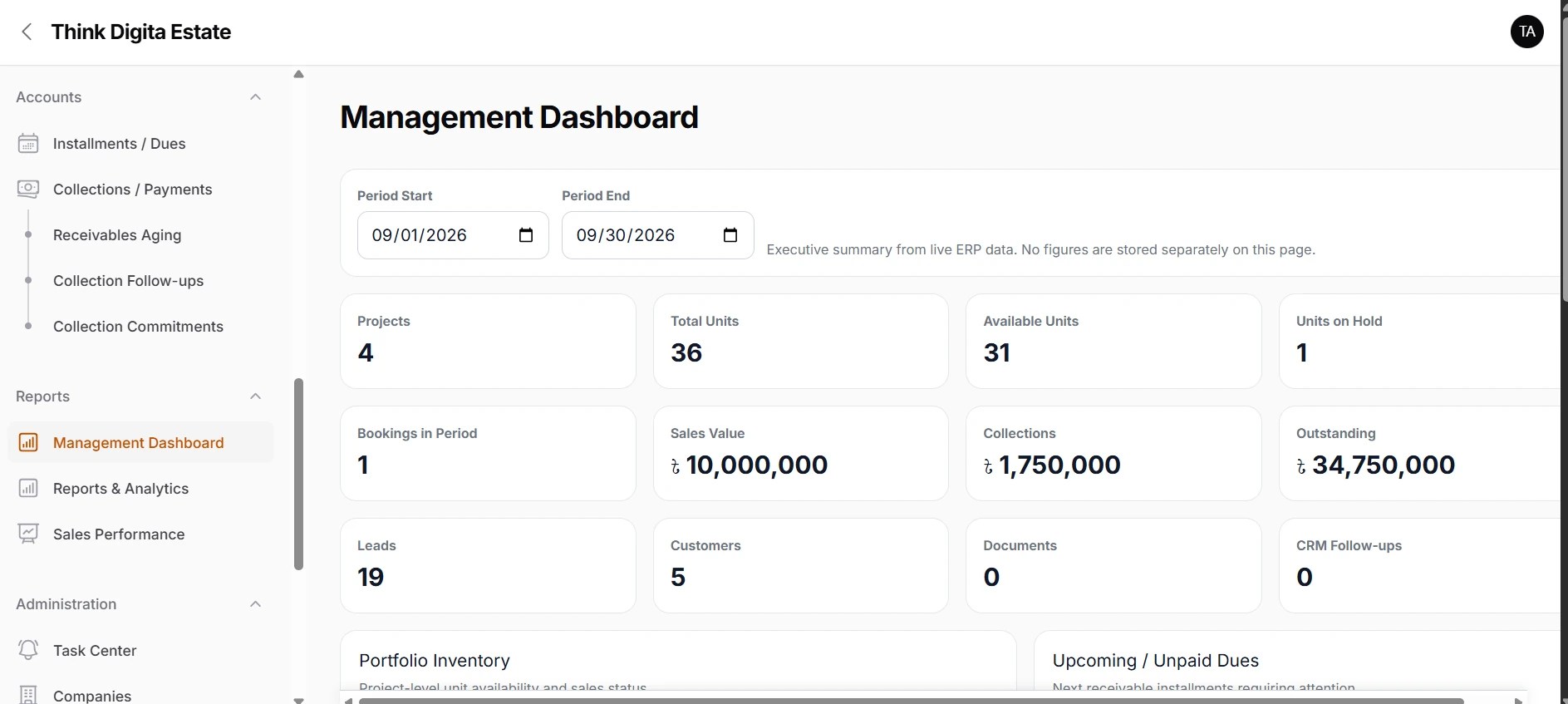
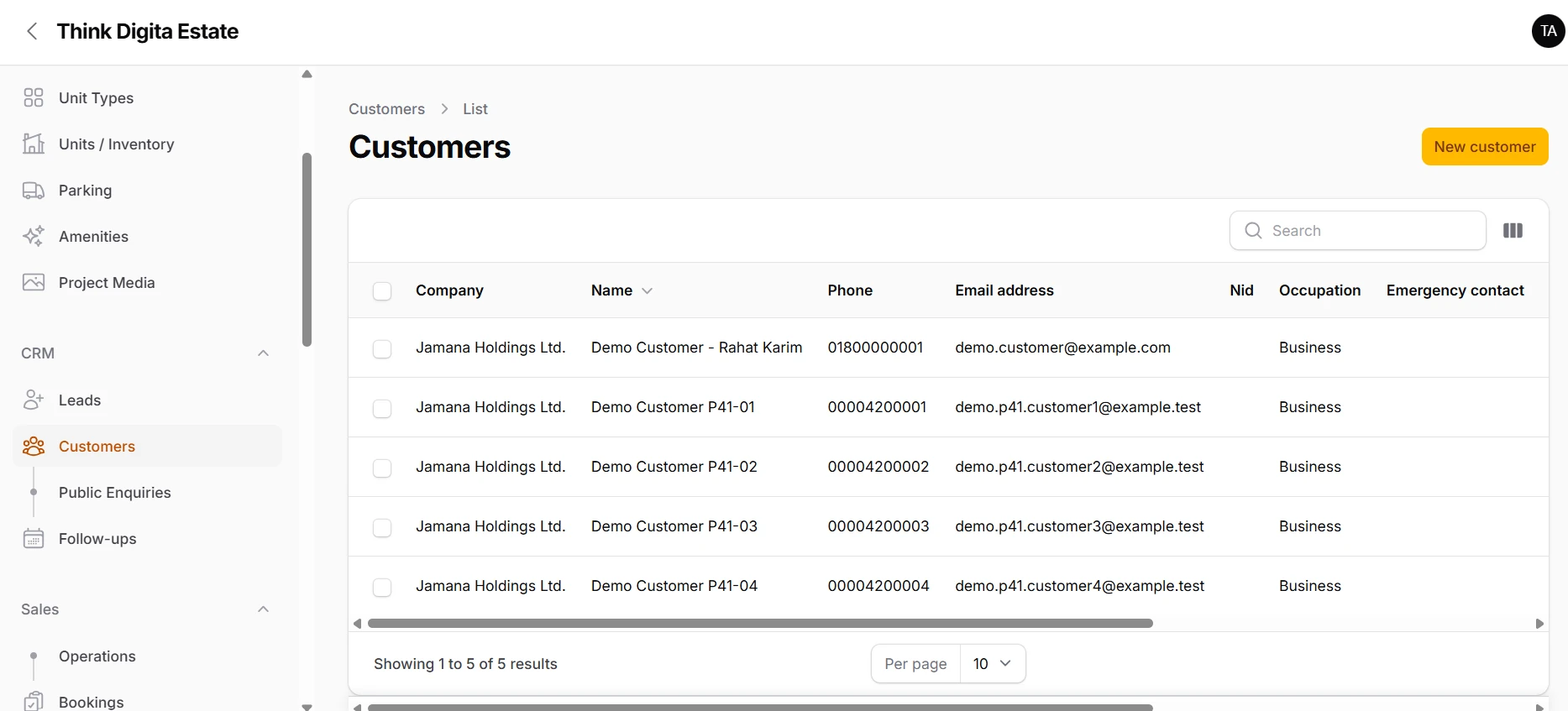
Choose a workflow below to see the actual Think Estate interface and the capability behind it.
Manage customer records, public enquiries and the next sales action from one CRM context.
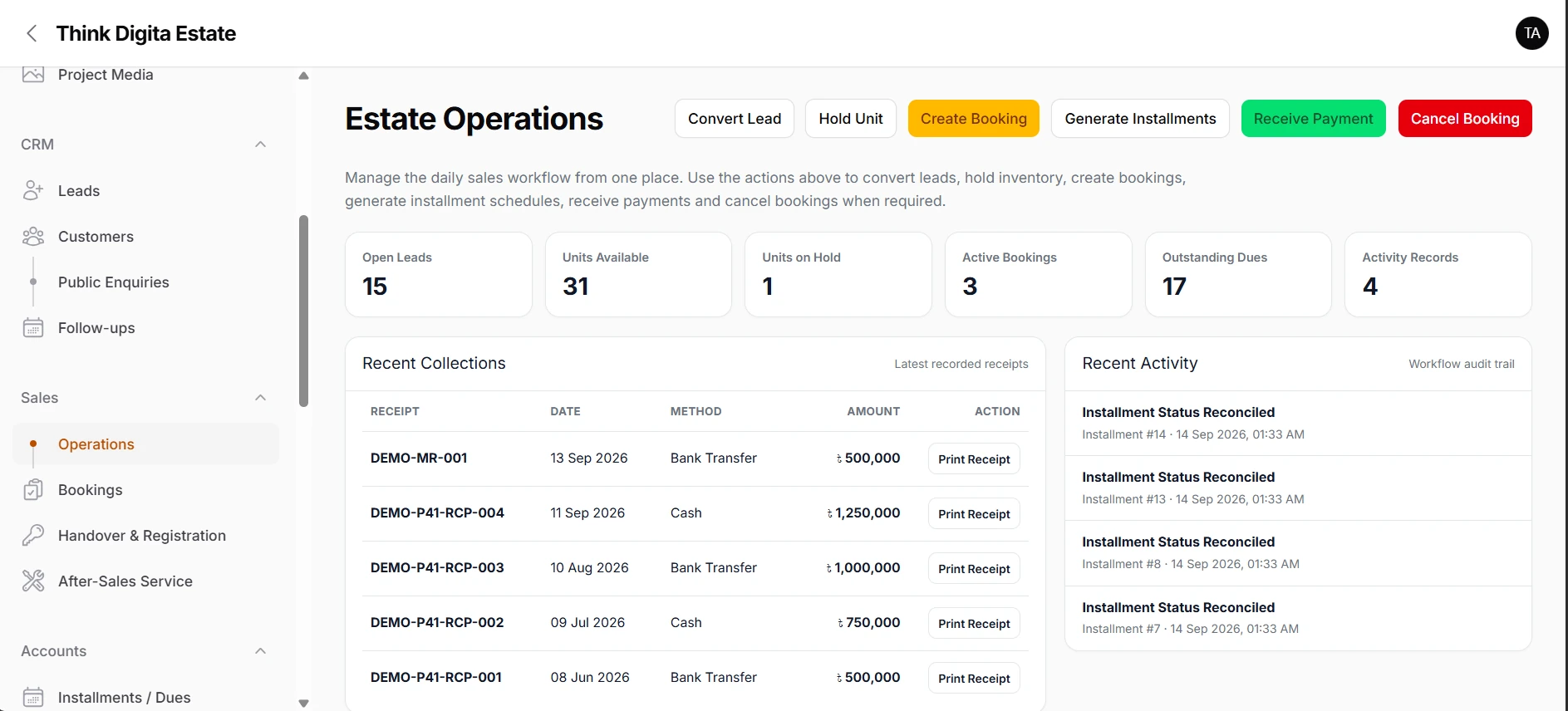
Convert leads, hold units, create bookings, generate installments and receive payments in one operating flow.
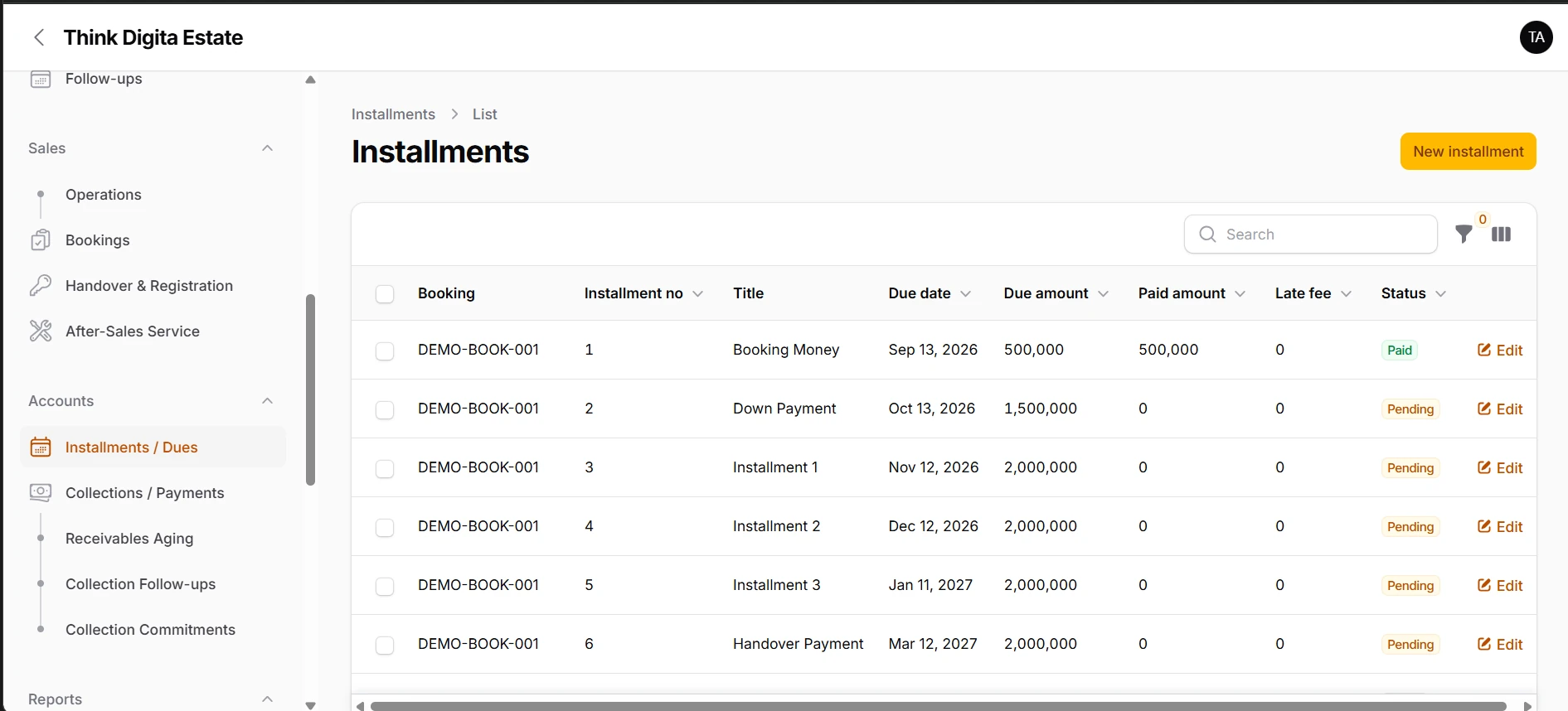
Accounts and collection teams can see scheduled dues, payment status and receivable follow-up in one place.
Inventory by project, collections, planned receivables and collection health become visible without a manual report.
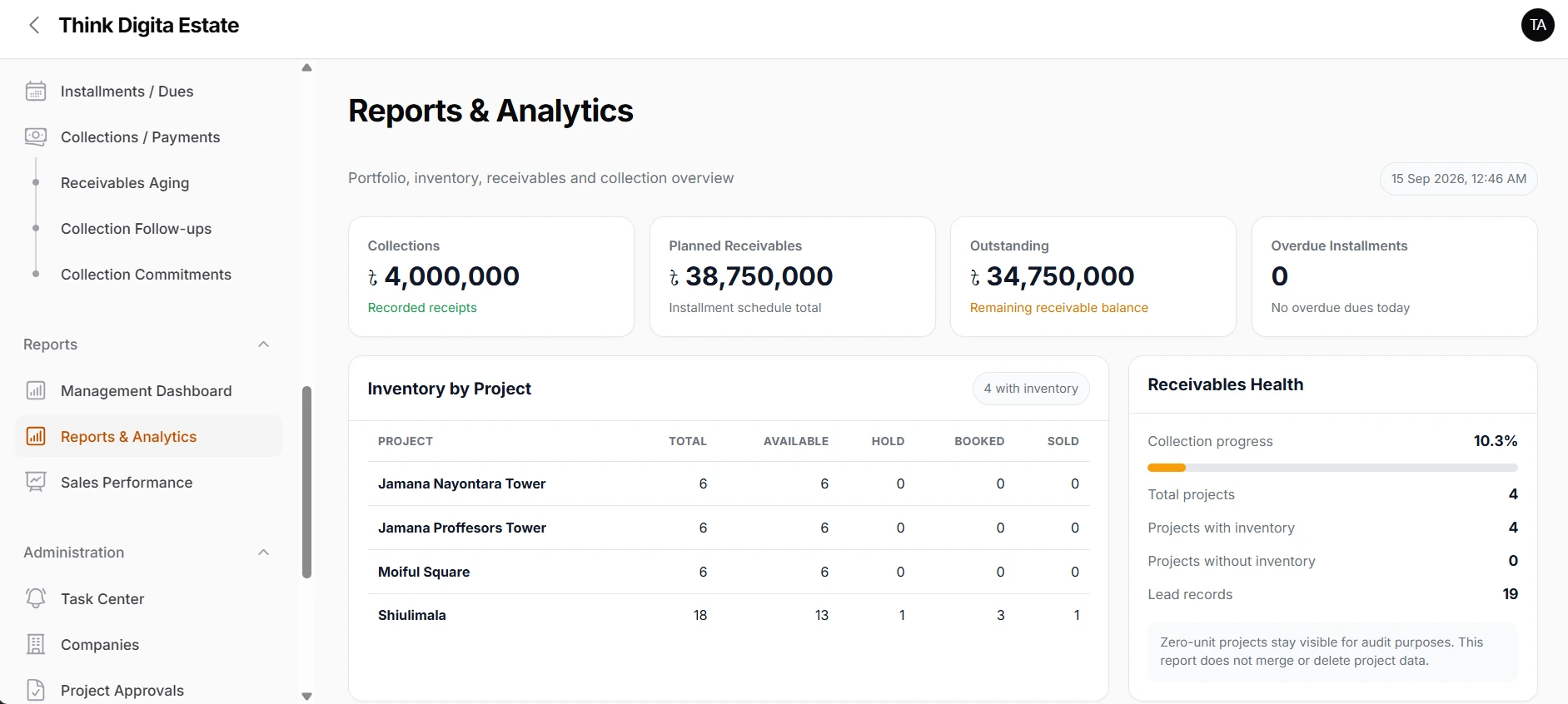
Projects, units, booking value, collections, customers and unpaid dues are summarized for management.
Think Estate is designed to connect the records and actions that real estate teams usually manage across separate files, tools and conversations.
Keep enquiry, lead, customer, booking and after-sales context connected.
Use the same inventory context from availability and hold through booking and sale.
Move from installment schedule to collection, aging and follow-up without rebuilding the numbers elsewhere.
Bring project, sales and collection visibility into a clearer executive summary.
Sales operations, collection control and management analytics are presented side by side so the product is easier to understand at a glance.
A single operational workspace for the daily sales process.
See the receivable schedule and what still needs action.
Use the live reporting layer for faster management decisions.
Management can review project inventory, sales value, collections, outstanding receivables and upcoming dues from the same operational data.
Keep each team focused on the information and actions that matter to their role.
Leads, customers, project inventory, site visits, booking and follow-up.
Installments, payments, aging, collection follow-ups and commitments.
Portfolio, sales value, collections, reports, tasks and audit visibility.
Documents, handover, registration and customer service after booking.
Think Estate runs in the browser with responsive navigation, so the same connected workflow can be reached from desktop, tablet or mobile.
See it on your workflow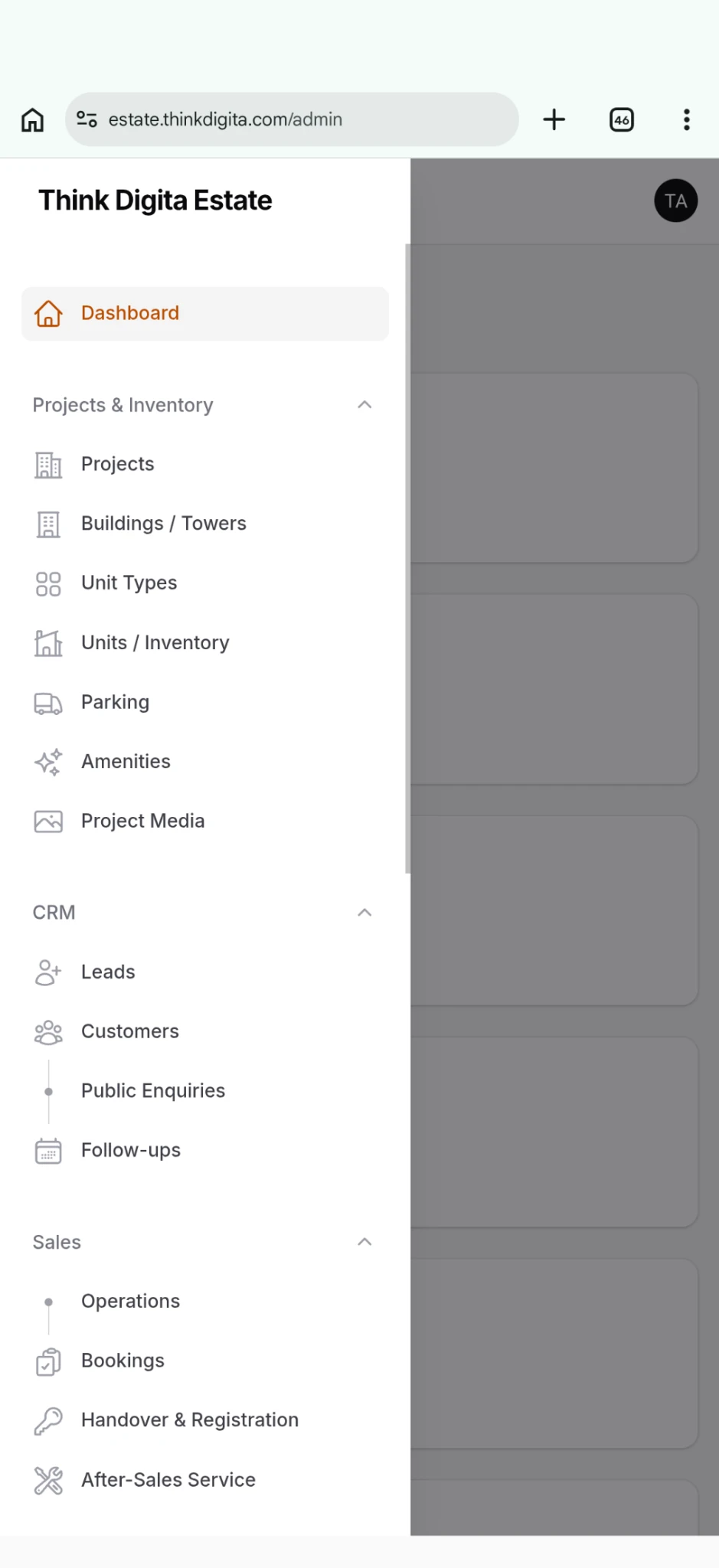
Use actual project media, plans and site information to create a buyer-facing experience connected to the operational system.
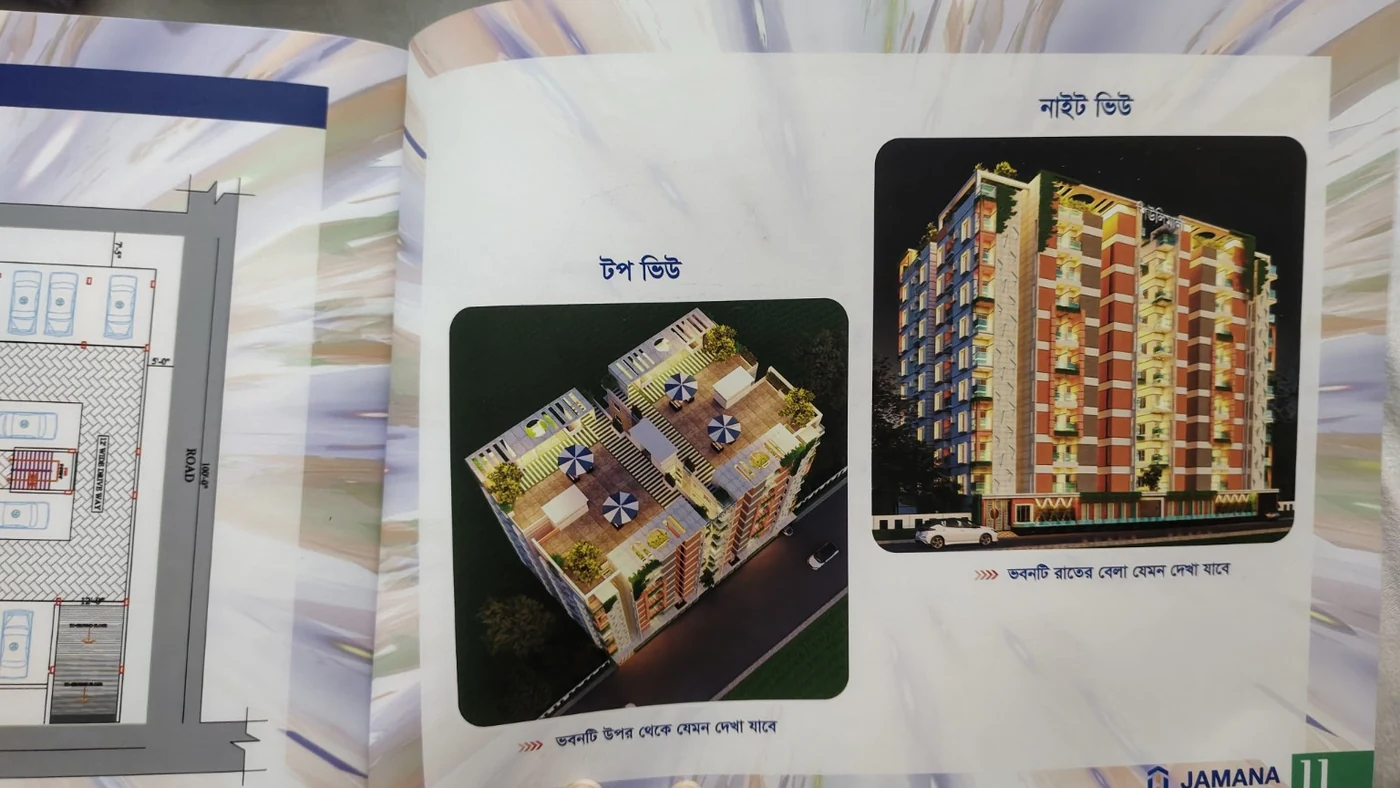
Architectural visuals, video and compatible 3D / 360 experiences.
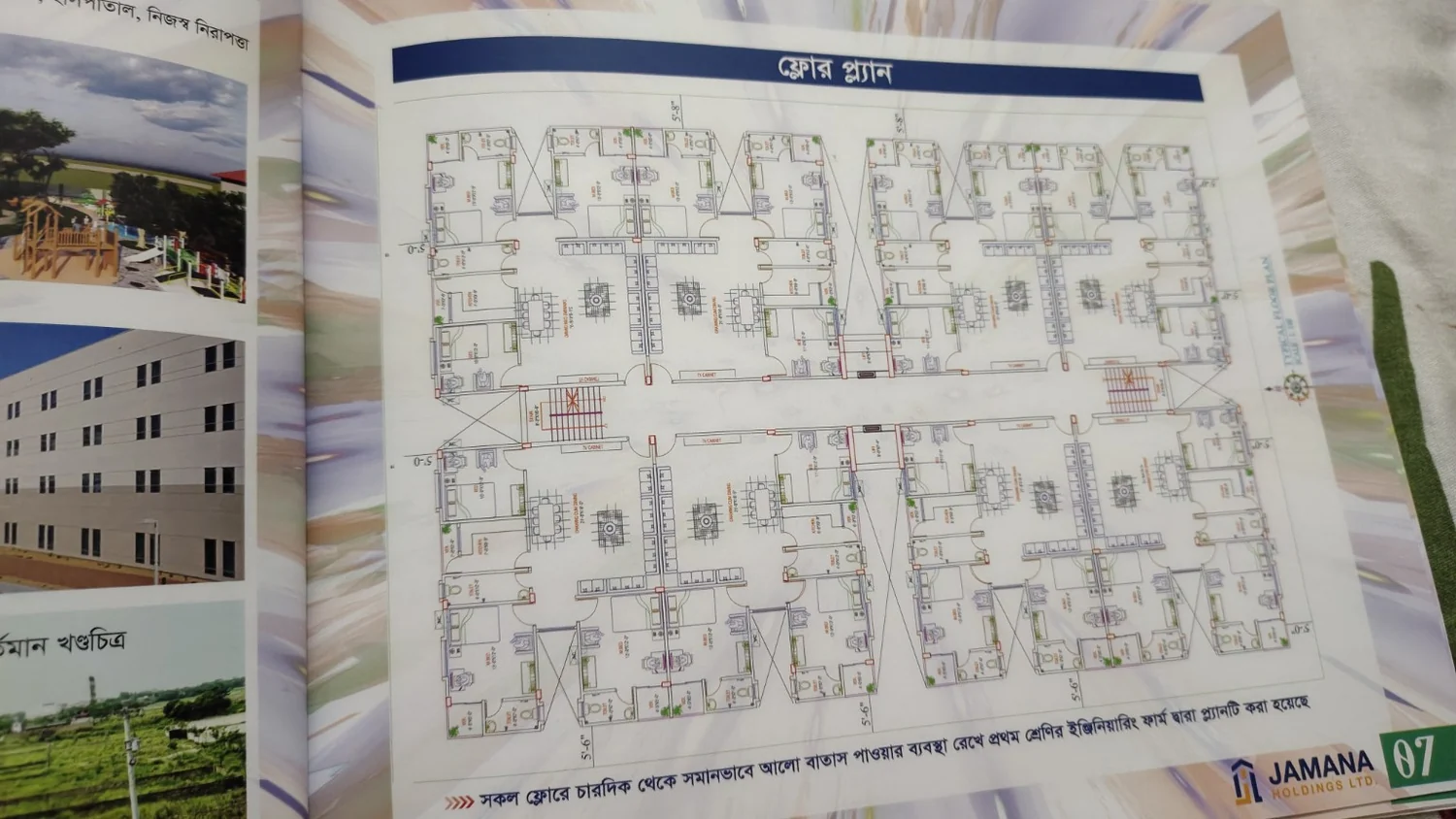
Explain layouts together with relevant inventory context.
Turn interest into a trackable buyer action that can move into CRM.
This comparison is about operating model, not a claim that every spreadsheet or CRM works the same way.
| Business need | Typical spreadsheet setup | Generic CRM by default | Separate tools | Think Estate |
|---|---|---|---|---|
| Project & unit inventory | Manual structure | Usually customized | Separate inventory tool | ✓ Built into the workflow |
| Booking & installments | Manual formulas | Usually customized | Separate sales / accounts | ✓ Connected to unit and customer |
| Collection follow-up | Manual tracking | Sales-centric by default | Separate accounts process | ✓ Aging, follow-up and commitments |
| Buyer-facing project pages | Not applicable | Usually separate | Separate website / CMS | ✓ Project experience connected to enquiries |
| Management visibility | Manual reporting | CRM reporting | Data across tools | ✓ Portfolio + sales + receivables context |
Enter your own current monthly costs. Think Estate does not assume what you pay for other software.
Enter your current software costs to compare them with a Think Estate plan.
Choose the billing model that fits your rollout. Public prices can be changed from Website Content.
Use implementation support when you need help translating your current process into a cleaner Think Estate workflow.
Review your current process, configure the working model and train the teams who will use it every day.
Schedule a ConsultationProject setup, suitable data migration, workflow configuration, permissions and team onboarding in one rollout.
Book an Implementation CallStart with the part of the platform that matches the problem you are trying to solve.
Projects, inventory, CRM, booking, collections and management in one product story.
Explore Features →See how renders, plans, availability and enquiries can work with the operational system.
Explore Project Experience →Bring your current tools, team structure and project workflow into a focused demo.
Book a Demo →Need a more specific answer? Book a demo around your current workflow.
Ask a QuestionYes. Projects, buildings, unit types, units and related sales and collection workflows can be managed together.
Migration is planned after reviewing the source files, data quality and target workflow.
Role-based controls can separate sales, accounts, operations and management responsibilities.
Yes. Compatible project media can be used in the buyer-facing project experience.
Use your actual projects, team structure and collection process in the demonstration.